How to Free Up Space on Mac: 7 Proven Steps
The Dusty Team
Mac storage guides
format_list_bulleted Quick Navigation (Table of Contents)
Getting a "Your disk is almost full" alert on macOS is a frustrating bottleneck. Whether compiling code, editing 4K video, or running creative apps, low disk space severely throttles APFS swap memory. Here is the definitive 7-step guide to safely reclaim 30GB to 80GB of disk space on macOS Sonoma and Sequoia without losing personal data.
cached 1. Clear Browser & Application Caches
Browsers like Chrome, Brave, and Arc, alongside apps like Slack and Spotify, silently stash gigabytes of web caches and video thumbnails in your Library. While caches speed up repeat visits, stale caches from months ago waste valuable SSD storage.
To inspect and clear user caches manually:
folder_zip 2. Remove Forgotten Download DMGs & ZIPs
Your ~/Downloads folder is typically the largest graveyard of unneeded files. Software installation disk images (.dmg), compressed archives (.zip, .tar.gz), and PDF invoices you opened once often consume 10GB-25GB.
Sort Finder by "Date Last Opened" or "Size" to instantly locate installers you no longer need.
chat 3. Purge Hidden WhatsApp Desktop Media
WhatsApp Desktop silently mirrors and stores every received photo, video forward, and voice note in deep macOS Group Containers. As covered in our WhatsApp cleanup guide, you can safely remove media inside Media/ while preserving your chat database (ChatStorage.sqlite) to instantly recover 5GB–20GB.
code 4. Bulk Delete Stale node_modules Dependencies
If you do web development, dormant JavaScript projects are holding gigabytes of redundant packages. Read our node_modules safety guide to understand why dependency folders are 100% safe to delete—you can always recreate them in seconds by running npm install when you return to a project.
history 5. Delete APFS Local Snapshots (System Data Fix)
If macOS shows that System Data is taking 100GB+, invisible Time Machine APFS snapshots are usually responsible. Even when external backup drives are disconnected, macOS creates hourly local snapshots.
List and delete stale local snapshots via Terminal:
Running macOS 15 Sequoia? Check our dedicated Reduce System Data on macOS Sequoia guide for Sequoia-specific fixes.
developer_board 6. Clean Xcode DerivedData & Simulator Caches
iOS and macOS app developers routinely lose 20GB-50GB to Xcode indexing caches. Follow our Xcode DerivedData cleanup tutorial to safely flush build artifacts, unavailable simulator runtimes, and iOS Device Support files.
auto_awesome 7. Automate Storage Maintenance with Explainable AI
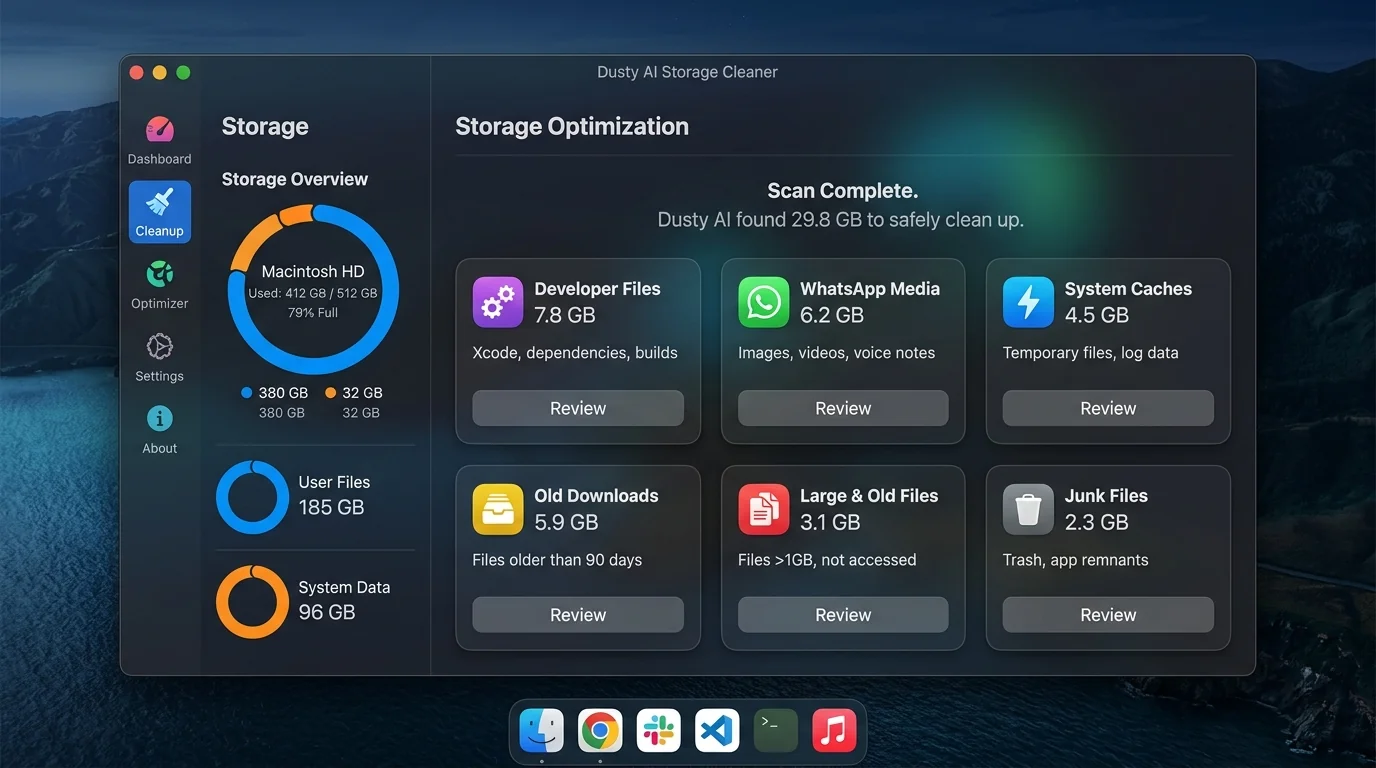
Rather than manually typing risky terminal commands or trusting black-box cleaners that might delete active database files, Dusty performs 100% local scans and uses Gemini AI to explain what every file is before moving it to Trash for 1-click reversible safety.
Need More Physical Storage? Top Mac External SSDs
Cleaned internal caches but still need archive space? These are the fastest USB-C & Thunderbolt drives for Apple Silicon:
Up to 1,050 MB/s transfer speed, rugged drop-proof rubber casing, USB-C native.
IP65 water & dust resistance, compact carabiner loop, ideal for photographers & travelers.
Ultra-compact aluminum build, up to 2,100 MB/s, plug-and-play for 4K video editing.
Reclaim Storage Instantly with Dusty
Stop hunting through hidden Library folders. Let Dusty's AI safely analyze and clean your Mac storage in minutes.