Mac Storage Full? What "System Data" Really Is
The Dusty Team
Mac storage guides
format_list_bulleted Quick Navigation (Table of Contents)
Opening System Settings > General > Storage on macOS often reveals a massive grey bar labeled "System Data" (previously called "Other" in older macOS versions) consuming 50GB to 150GB+ of SSD capacity. Here is the definitive breakdown of what System Data actually contains and how to safely reduce it without damaging operating system files.
pie_chart 1. What Actually Lives Inside "System Data"?
System Data is macOS's catch-all bucket for everything that doesn't fit into Applications, Documents, Photos, or Developer categories. The primary culprits include:
- Application Support & Group Containers: Caches from Electron apps (Slack, Discord, Spotify) and messaging apps like WhatsApp Desktop in
~/Library/Group Containers. - Orphaned Audio Libraries: Unused factory sound libraries from GarageBand and Logic Pro silently storing 20GB–40GB in system folders (how to delete GarageBand sound library).
- APFS Local Snapshots: Hidden hourly backup points created automatically by Time Machine on your main boot drive.
- Developer Indexes & Build Logs: Massive Xcode DerivedData and stale node_modules directories.
- macOS Unified Logging & Diagnostic Reports: Crash dumps and diagnostic reports in
/private/var/log.
terminal 3. Terminal Diagnostics: Inspecting ~/Library
To pinpoint exactly which application container is ballooning your System Data, run this disk usage scan in Terminal:
This command sorts your top 10 largest Library folders by size in human-readable format (GB/MB).
devices 4. macOS Sonoma vs. Sequoia System Data Behavior
In macOS 14 Sonoma and macOS 15 Sequoia, Apple altered how purgeable disk space is calculated. System Data now dynamically includes "Purgeable Space"—cached assets that macOS promises to clear if disk space runs critically low. However, virtual machines (Docker, UTM) and video editors (Final Cut, Premiere) often encounter write errors before macOS decides to trigger this purge.
auto_awesome 5. Safe Reduction Workflow & Dusty AI
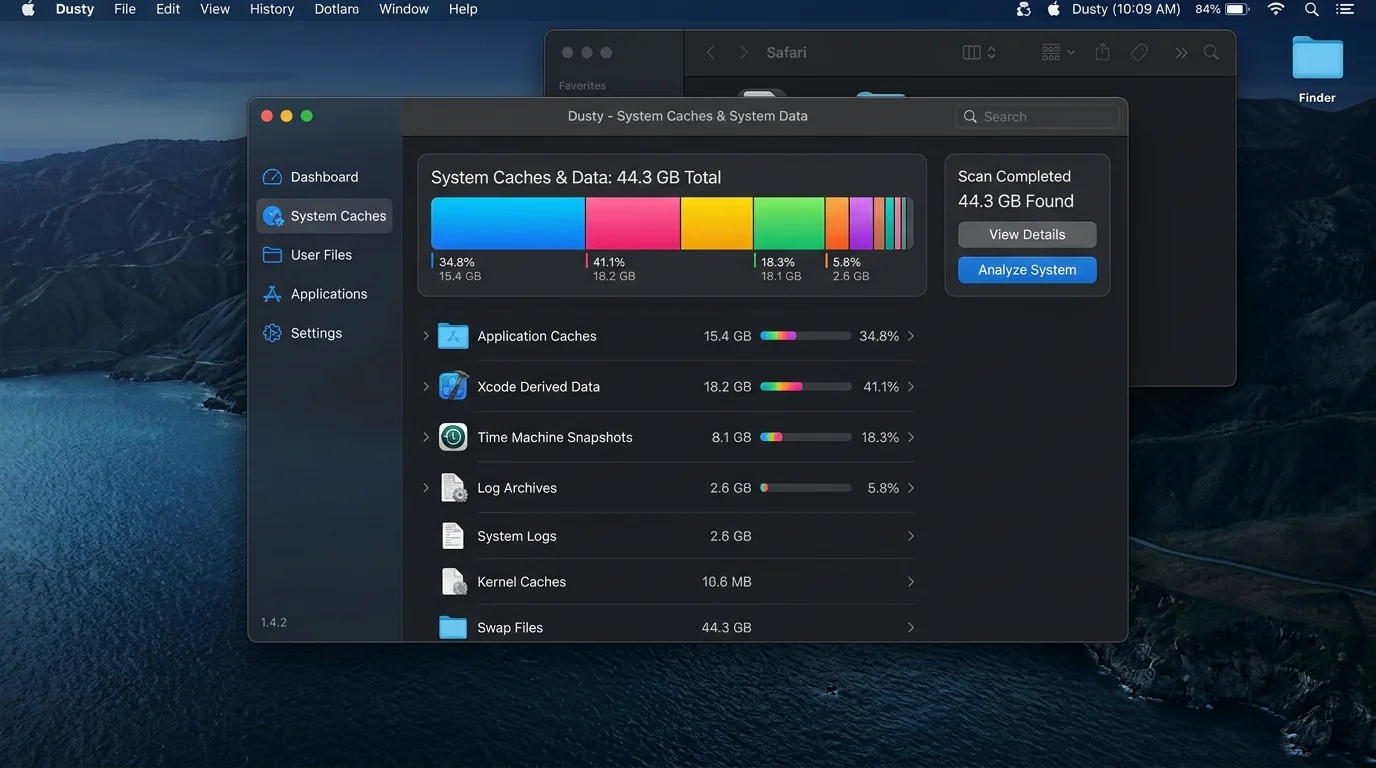
Rather than manually combing through hidden Library paths where one wrong deletion could corrupt your application state, Dusty analyzes your Mac's metadata locally. Using connected Gemini AI reasoning, Dusty explains the exact origin and safety rating of every cache before moving items to the macOS Trash with 100% reversible safety.
Need More Physical Storage? Top Mac External SSDs
Cleaned internal caches but still need archive space? These are the fastest USB-C & Thunderbolt drives for Apple Silicon:
Up to 1,050 MB/s transfer speed, rugged drop-proof rubber casing, USB-C native.
IP65 water & dust resistance, compact carabiner loop, ideal for photographers & travelers.
Ultra-compact aluminum build, up to 2,100 MB/s, plug-and-play for 4K video editing.
Reclaim Storage Instantly with Dusty
Stop hunting through hidden Library folders. Let Dusty's AI safely analyze and clean your Mac storage in minutes.