Precision Engineering for macOS Storage
Traditional cleaners treat your Mac like an opaque black box. Dusty is engineered like a surgical developer utility — mapping nested storage with a Concentric Radar Lens, unmasking multi-gigabyte iPhone backups in System Data, and explaining every file before you touch a single byte.
Concentric Radar Lens Disk Map
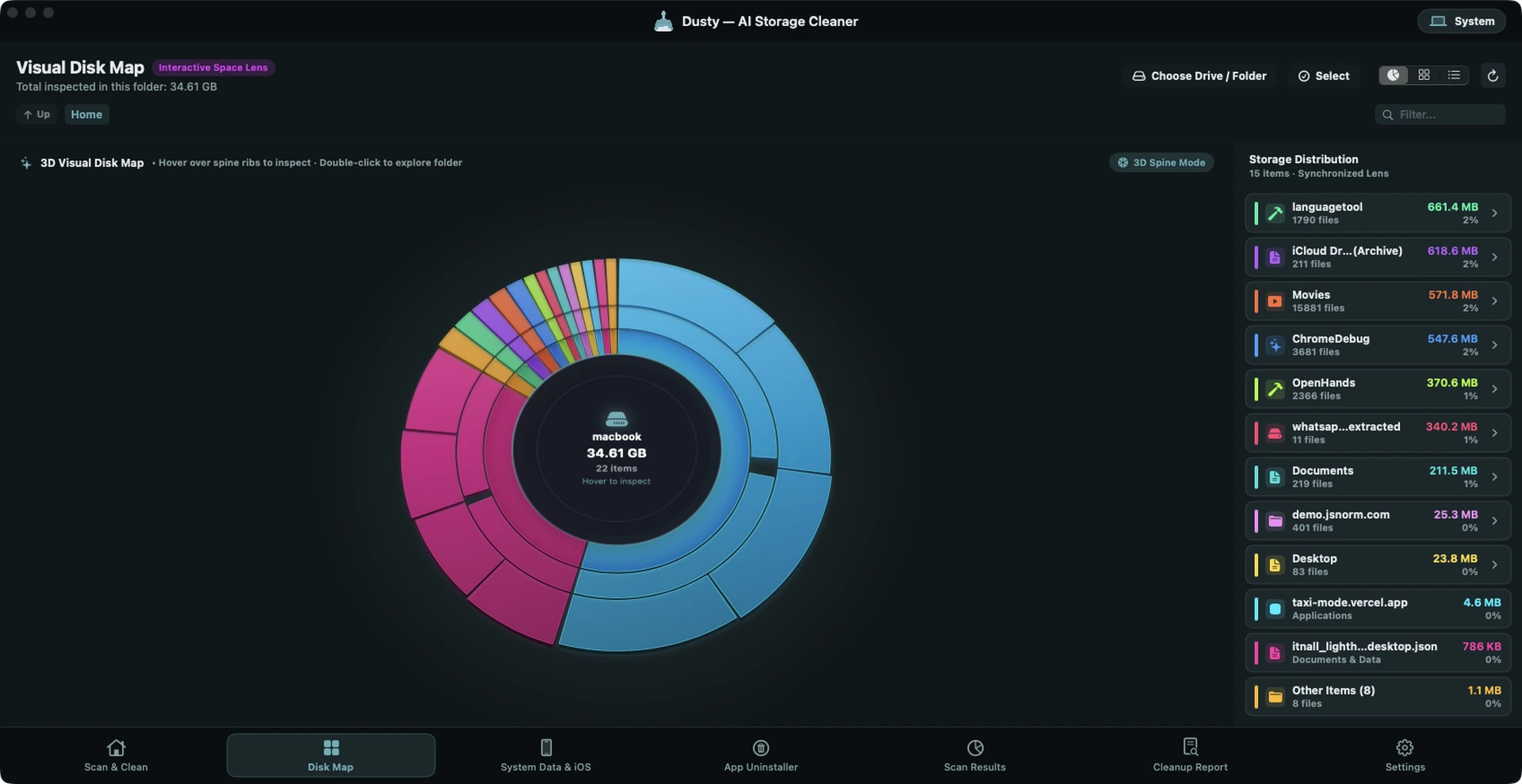
Stop guessing where gigabytes are hiding. Dusty translates complex directory trees into a multi-ring polar sunburst. Rings reflect folder hierarchy levels, while angular sectors mirror exact byte footprints on your SSD.
Polar Vector Navigation
Glide your cursor across circular arcs to immediately view full file paths, total item counts, and exact disk usage without traversing terminal directories.
1-Click Deep Drilldown
Click into bloated project directories or hidden cache nests to instantly re-center the radar lens on that subfolder. No background re-scanning required.
Direct Finder & AI Integration
Reveal any mapped folder directly in macOS Finder, send it to the safe macOS Trash, or request an instant Gemini 1.5 Flash risk explanation with one click.
System Data & iOS Backup Hub
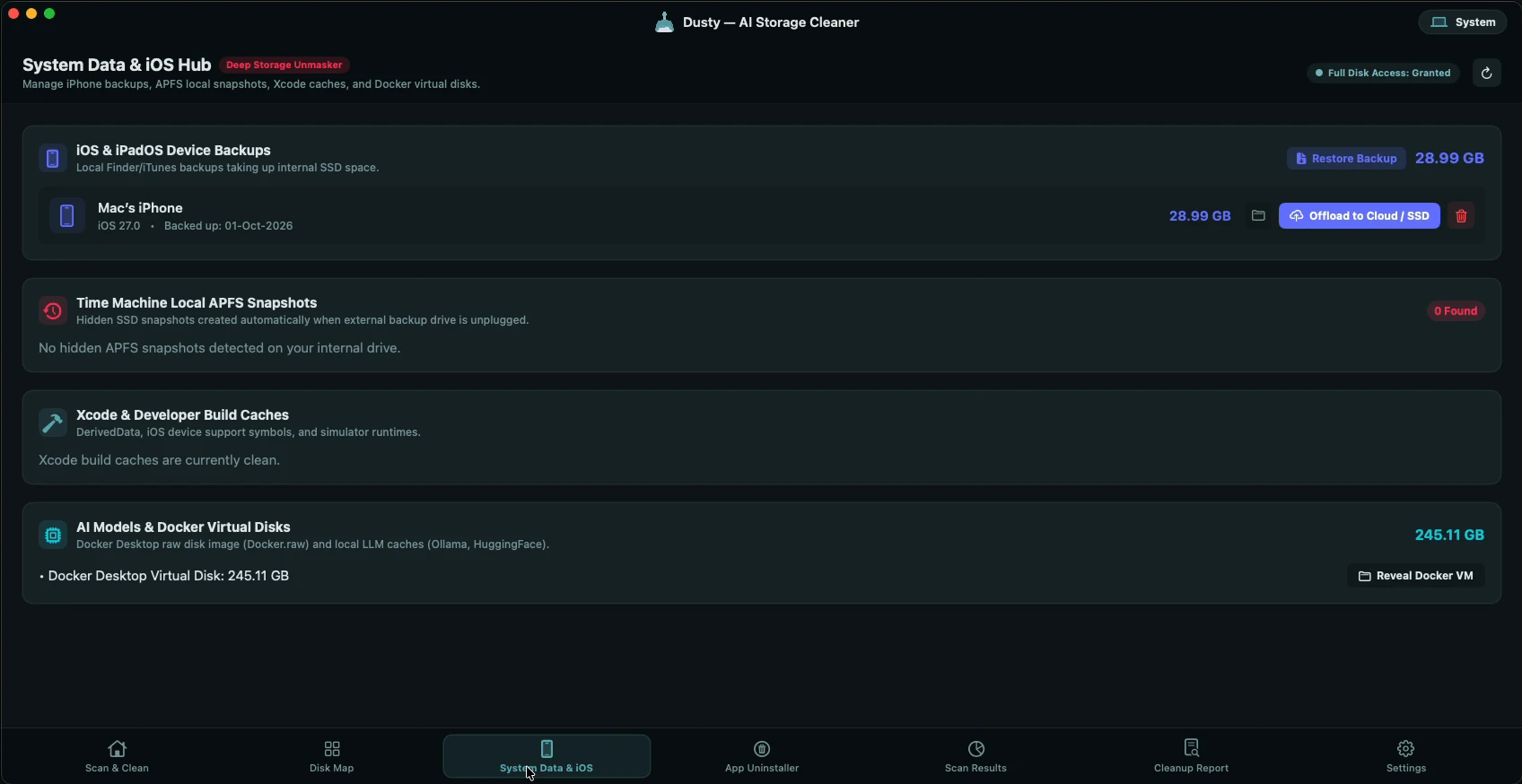
The number one source of unexplained storage bloat on macOS is "System Data". Abandoned iPhone and iPad backups in MobileSync silently hoard 20 to 60+ GB of internal SSD space.
Move multi-gigabyte iPhone backups to iCloud Drive, Google Drive, OneDrive, or an external SSD safely without corrupting device pairing.
Seamlessly restore your offloaded backup back to your Mac whenever you set up a new phone or sync with Finder.
Prune stale Time Machine local shadow copies that macOS hides inside the opaque System Data storage bar.
1-Click App Uninstaller & Residual Wiper
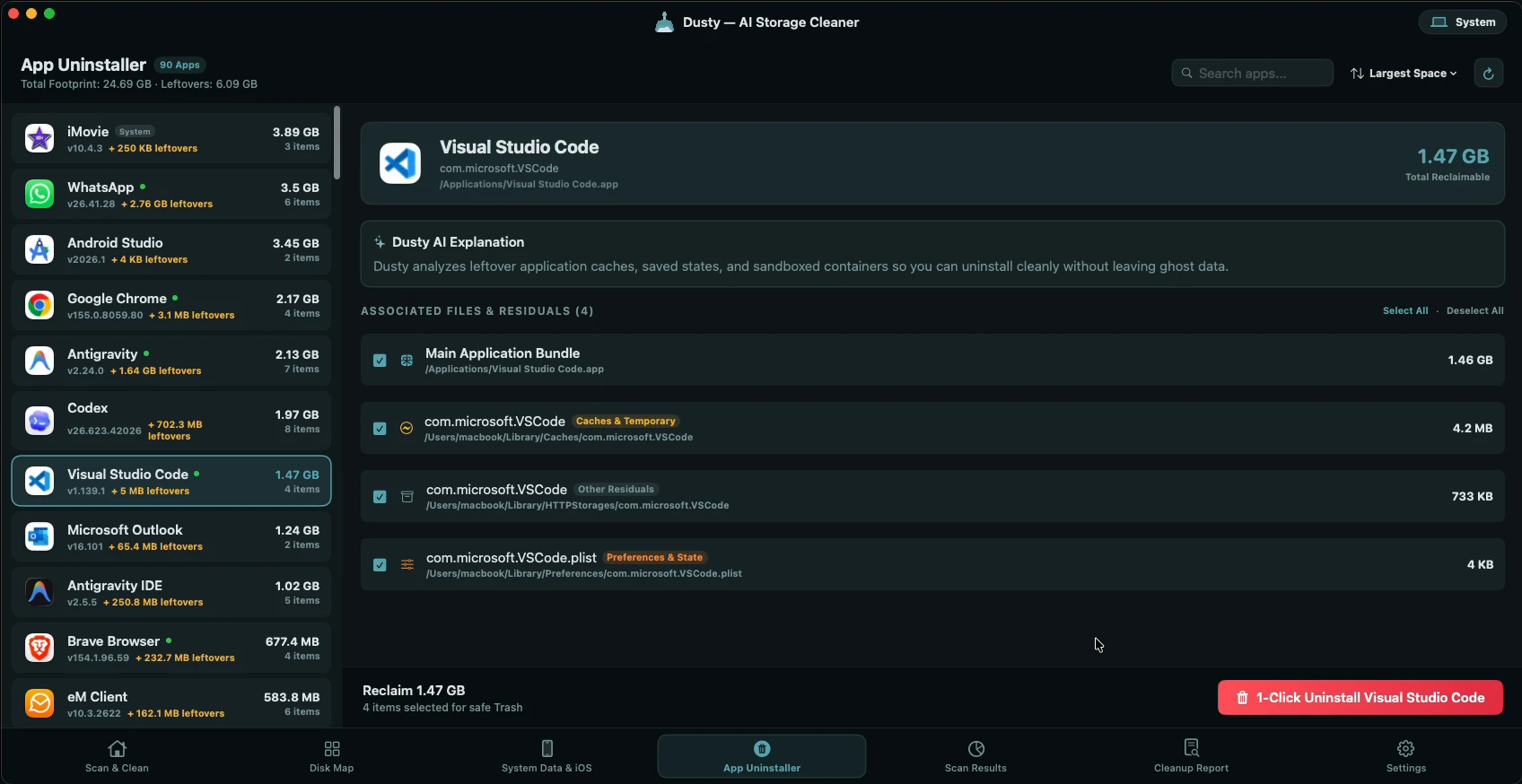
Dragging an application icon to the macOS Trash only deletes the surface .app bundle. Up to 90% of an application's weight remains abandoned in hidden sandboxes, caches, and Application Support folders.
Gemini 1.5 Flash AI Reasoning
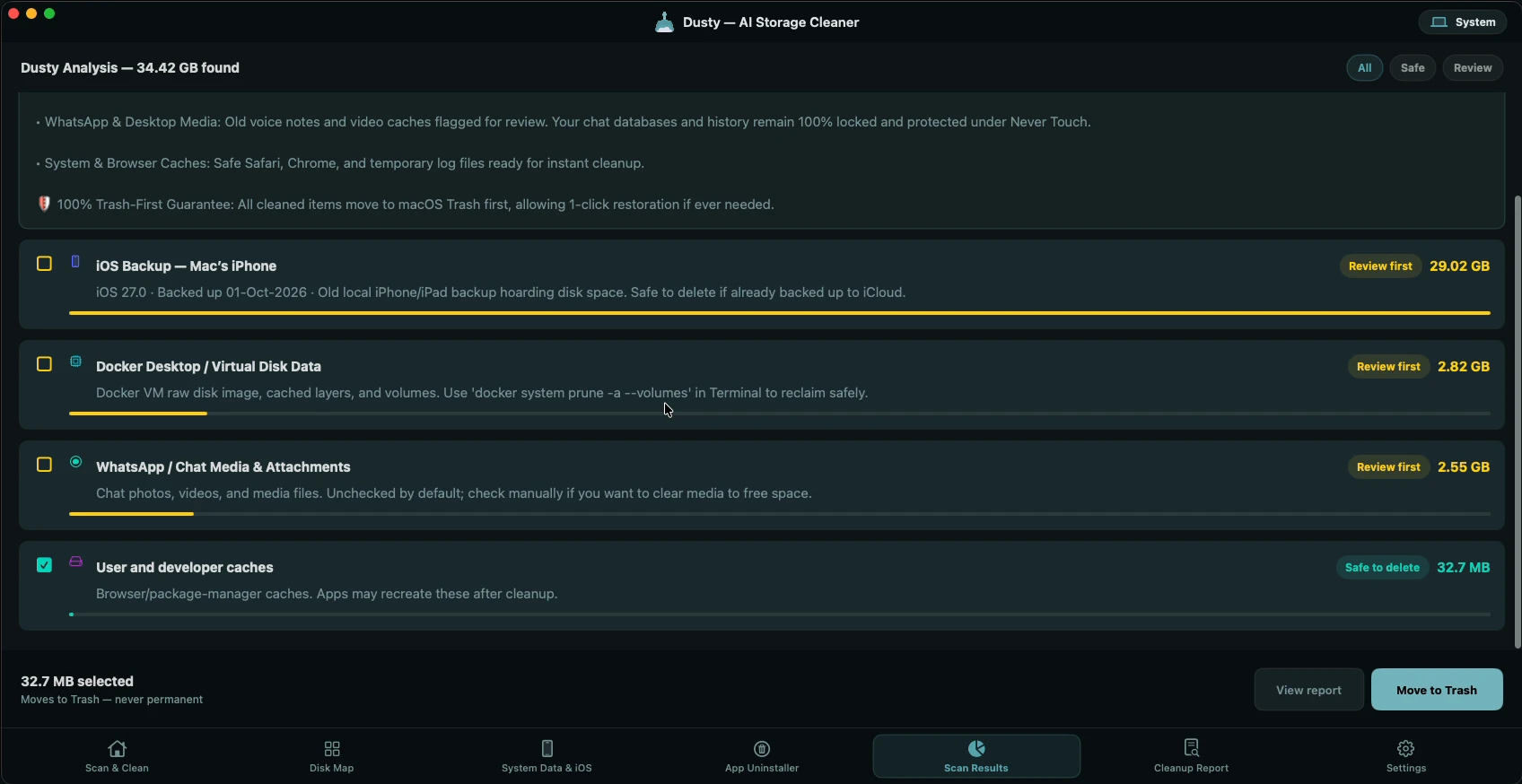
Never delete in the dark again. Cryptic directory paths like com.apple.coresymbolicationd or obscure build caches cause hesitation. Dusty connects directly to Google Gemini 1.5 Flash to synthesize plain English explanations before you touch a single byte.
"This folder stores compiled build artifacts, intermediate object files, and module caches generated by Xcode. Cleaning this directory is completely safe and standard practice; Xcode will cleanly rebuild intermediate files next time you compile your project."
Precision Cleanup for Power Users & Developers
Generic cleaners blindly delete browser cookies and ignore the real giants. Dusty targets high-impact developer caches, messaging media, and AI model caches.
Developer Deep-Sweep
Detects abandoned node_modules, Xcode DerivedData, IntelliJ caches, and Homebrew download archives across your system.
WhatsApp Surgical Purge
Unlike generic cleaners that wipe application data, Dusty scrubs forwarded 4K videos and voice notes while keeping ChatStorage.sqlite completely intact.
Local AI & Docker Bloat
Identifies forgotten Ollama models, HuggingFace model caches, and Docker Desktop virtual disk images (Docker.raw) that secretly eat 50+ GB.
Stale Downloads Radar
Surfaces heavy DMG installers, PKG setup files, and ZIP archives over 100 MB that have remained untouched in your Downloads folder for 60 or more days.
Equal-Width Bottom Navigation & 5-Tab Settings
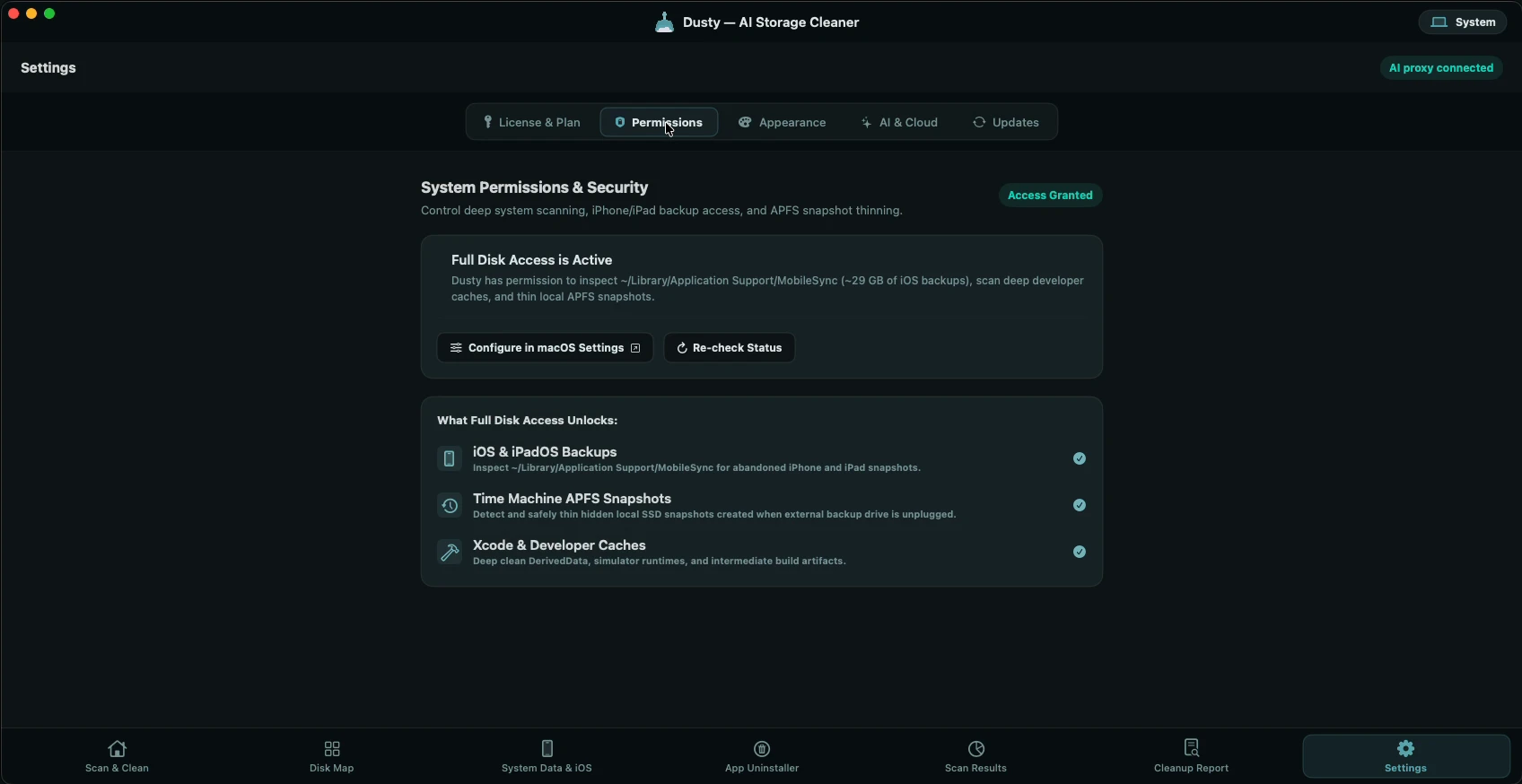
Dusty v2.5.1 establishes a clean, distraction-free macOS user experience. We eliminated cramped sidebar drawers in favor of an equal-width bottom dock navigation bar and an organized 5-tab segmented settings pane.
Transparent 3-Pillar Safety Architecture
Every file and directory evaluated by Dusty receives an explicit safety tag. Nothing is permanently destroyed without your deliberate confirmation.
Safe to Clean
System log files, thumbnail databases, expired download installers, and temporary build caches. These items can be safely removed with zero side effects.
Exercise Caution
Application Support configurations, browser profiles, and local download archives. Dusty highlights these so you can inspect folder contents before confirming.
High Risk / Protected
Git repository internal objects (.git/objects), active project databases, and core system binaries. Dusty locks and safeguards these by default.
Why Power Users Choose Dusty
See how Dusty compares directly against legacy subscription cleaners and single-feature disk tools.
| Core Capability | Dusty (v2.5.1) | CleanMyMac | DaisyDisk |
|---|---|---|---|
| Gemini 1.5 Flash AI File Reasoning | check_circle Yes (Plain English) | No AI explanations | No AI explanations |
| System Data & iOS Backup Offloader | check_circle Cloud/SSD + 1-Click Restore | Delete only (no offload or restore) | Not supported |
| Concentric Radar Lens Disk Map | check_circle Built-In Radial Sunburst | Not supported | Yes (Sunburst only) |
| 1-Click App Residual Wiper | check_circle Deep Sandboxes & Support Purge | Yes | Not supported |
| Developer Suite (node_modules, Docker) | check_circle Dedicated Surgical Detectors | Limited generic caches | Manual search only |
| Pricing Model | $9.99 One-Time Lifetime | $39.95/year subscription | $9.99 (Disk map only) |
| Telemetry & Privacy | verified Zero App Telemetry (100% Local) | Usage analytics collected | Closed source |
Ready to Unmask Your Mac Storage?
Download Dusty free. Run unlimited diagnostic APFS scans, explore your Concentric Radar Lens disk map, and offload forgotten iPhone backups in minutes.