What is node_modules? Is It Safe to Delete?
The Dusty Team
Mac storage guides
format_list_bulleted Quick Navigation (Table of Contents)
As developers, we have all felt the weight of a slow-moving disk. You are deep in a sprint, and suddenly macOS warns you that you are down to your last 5GB. The culprit is almost always hidden in plain sight: the cumulative weight of forgotten node_modules folders.
help_outline What is node_modules?
When you run npm install or yarn, package managers download hundreds of third-party libraries and their transitive dependencies into your project folder.
verified_user Is node_modules Safe to Delete?
YES, 100% SAFE! node_modules contains zero custom code. Your source code lives in package.json and package-lock.json. Running npm install re-downloads every dependency in seconds whenever you return to the project.
Purge 20GB–50GB+ of Idle node_modules in 1 Click
Stop hunting forgotten project directories. Dusty indexes all dormant dev dependencies and safely cleans them without risking active repos.
brew install theappcenter/tap/dusty
terminal How to Safely Bulk-Delete node_modules
Or let Dusty automatically identify all idle dev build folders across your entire SSD in one click.
sweep How to Clean ALL node_modules Across Your Mac
Finding and deleting every node_modules folder manually is impossible. Here are the three main ways to clean them across your Mac:
- 1. The Terminal Method: Run
find . -name "node_modules" -type d -pruneto scan, but you'll have to manually review and delete. - 2. npx npkill: An interactive TUI tool that lists projects and lets you delete them using the spacebar. Good for small scans, but can be slow.
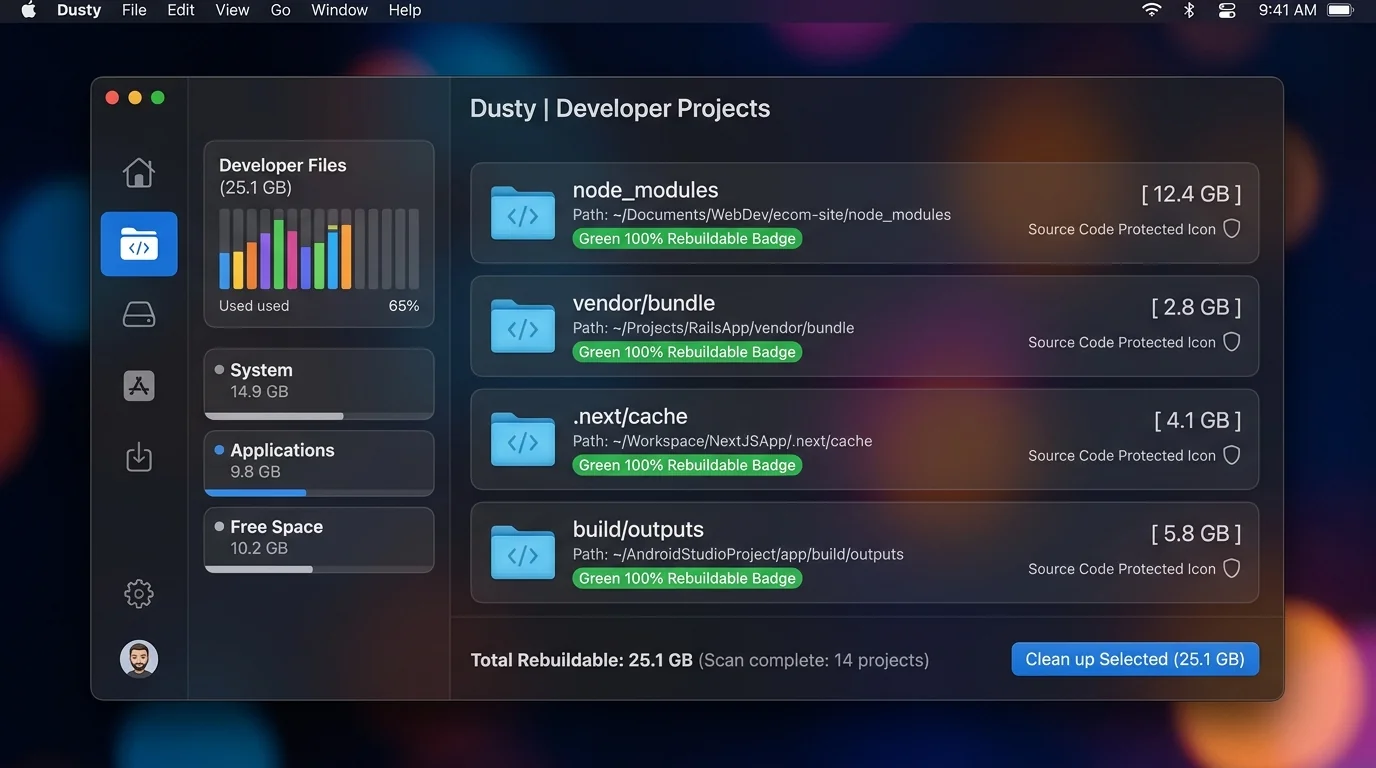
- 3. The Dusty Approach: Dusty is built specifically for Mac. It automatically shows project age, last-used dates, and provides AI safety explanations before deleting. Typical developer machines have 20-50GB in dormant node_modules!
compare npkill vs Dusty: Which Should You Use?
| Feature | npkill | Dusty |
|---|---|---|
| Scope | node_modules only | Full dev stack (node_modules, Xcode, Carthage, etc.) |
| Interface | Terminal (TUI) | Native Mac GUI |
| AI Explanations | No | Yes |
| WhatsApp/Cache Cleaning | No | Yes |
quiz Frequently Asked Questions
Will deleting node_modules break my project?
No. You can easily recreate it by running npm install when you work on the project again.
How much space can I reclaim?
Typically 200MB-2GB per project. It's common to clear 20-50GB total across a developer machine.
Is it safe to delete node_modules for active projects?
Yes, but you will need to re-install packages before running the project again.
Can I automate node_modules cleanup?
Yes — Dusty scans and identifies dormant projects automatically.
Reclaim Storage Instantly with Dusty
Stop hunting through hidden Library folders. Let Dusty's AI safely analyze and clean your Mac storage in minutes.