Mac Cleaner for Developers: Stop Losing 50GB to Build Artifacts
The Dusty Team
Mac storage guides
format_list_bulleted Quick Navigation (Table of Contents)
Modern software development on macOS is demanding on solid-state drives. A software engineer's Mac routinely bleeds between 30GB and 80GB of storage to rebuildable dependencies, virtual machine disk images, index databases, and compilation artifacts. Here is how to diagnose, itemize, and reclaim developer storage across every major tech stack.
data_usage 1. The Developer Storage Tax: Where Gigabytes Disappear
Unlike regular macOS users whose storage is consumed by photos or videos, developers lose storage silently during everyday builds:
| Ecosystem | Artifact / Folder | Typical Size | Rebuild Safety |
|---|---|---|---|
| Node.js / JavaScript | node_modules, .next/cache | 15GB – 40GB | 100% Safe (npm i) |
| iOS / macOS (Xcode) | DerivedData, DeviceSupport | 20GB – 50GB | 100% Safe (Recompiled) |
| Docker Containers | Docker.raw, buildx cache | 20GB – 60GB | Safe (docker prune) |
| Rust | target/ (debug/release) | 5GB – 20GB | 100% Safe (cargo build) |
| Python | .venv, __pycache__, pip cache | 3GB – 10GB | Safe (requirements.txt) |
layers 2. Deep Dive by Development Stack
Node.js & Front-End Frameworks
Every Next.js, Vite, or React project downloads duplicate copies of Lodash, TypeScript, and Babel into node_modules. Across 20 historical git branches, this consumes over 30GB of redundant data.
Xcode & Apple Ecosystem
Xcode never automatically garbage-collects old compilation indexes. Every build creates gigabytes of cached symbols in Xcode DerivedData, alongside legacy iOS simulator runtimes you no longer test on.
Docker Desktop on macOS
Docker allocates a fixed virtual disk image (~/Library/Containers/com.docker.docker/Data/vms/0/data/Docker.raw) that automatically expands as you pull images, but rarely shrinks back down when containers are deleted.
extension_off 3. The Problem with Fragmented CLI Tools
Until now, maintaining a clean developer Mac required juggling multiple terminal utilities:
npkill: Fast for Node.js, but ignores Xcode, Docker, and system caches.DevCleaner: Great for Xcode, but blind to JavaScript or Rust stacks.docker system prune: Cleans Docker, but doesn't shrink the actual APFS disk allocation without manual reconfiguration.
terminal 4. Complete Terminal Maintenance Cheat Sheet
Run these commands periodically to manually flush developer caches:
auto_awesome 5. Unified Cleaning with Dusty AI
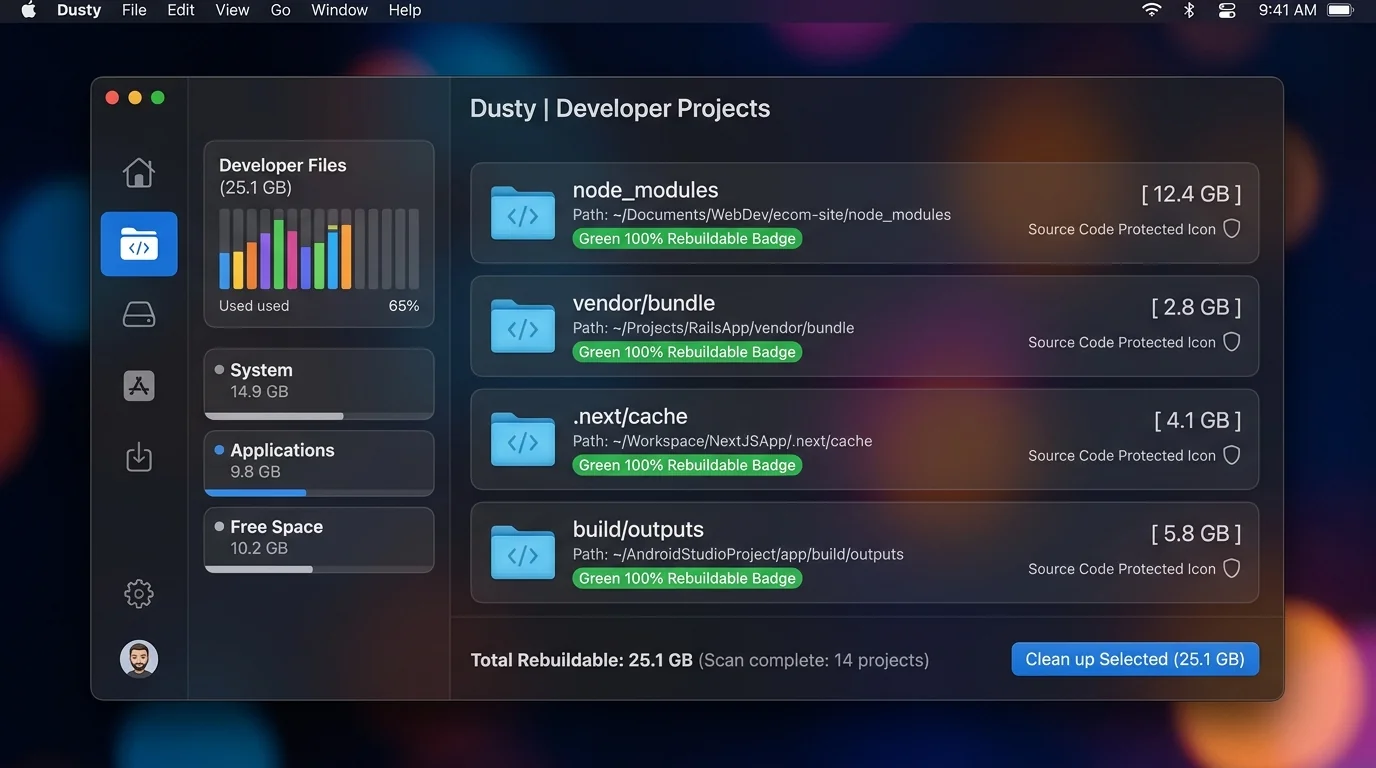
Rather than running risky manual terminal commands across nested project trees, Dusty’s Developer Deep-Sweep scans your entire drive in seconds. It identifies stale projects not opened in 90+ days, explains what each dependency is using on-device Gemini AI, and safely moves items to the macOS Trash with instant 1-click restore capability.
Reclaim Storage Instantly with Dusty
Stop hunting through hidden Library folders. Let Dusty's AI safely analyze and clean your Mac storage in minutes.