The Only Mac Cleaner That Tells You What It's Deleting
The Dusty Team
Mac storage guides
format_list_bulleted Quick Navigation (Table of Contents)
Over 65% of Mac power users, developers, and creative professionals actively avoid commercial cleaner applications. The reason is simple: trust. Traditional Mac utilities operate as opaque black boxes—they present an aggregate "junk count" (e.g., "34.2 GB of System Junk Found") and pressure you to click "Clean" without explaining what files will be removed. Dusty changes this paradigm with explainable, on-device AI.
sentiment_dissatisfied 1. The Trust Deficit: Why Users Fear Disk Cleaners
A quick search on Reddit or tech forums reveals endless horror stories: users running a "quick clean" only to discover that their IDE configs were wiped, browser login sessions logged out, or WhatsApp chat databases corrupted.
Traditional tools rely on brittle regex scripts that misclassify active developer project files or application support databases as disposable cache files.
visibility_off 2. The Black Box Cleaning Problem
When an application deletes files permanently without user comprehension, it introduces severe anxiety. Users are left wondering:
- "Will deleting this break my active Xcode or VS Code project?"
- "Will I lose my browser history or saved passwords?"
- "Why did my free disk space not increase after deleting?"
psychology 3. How Dusty's AI Reasoner Works
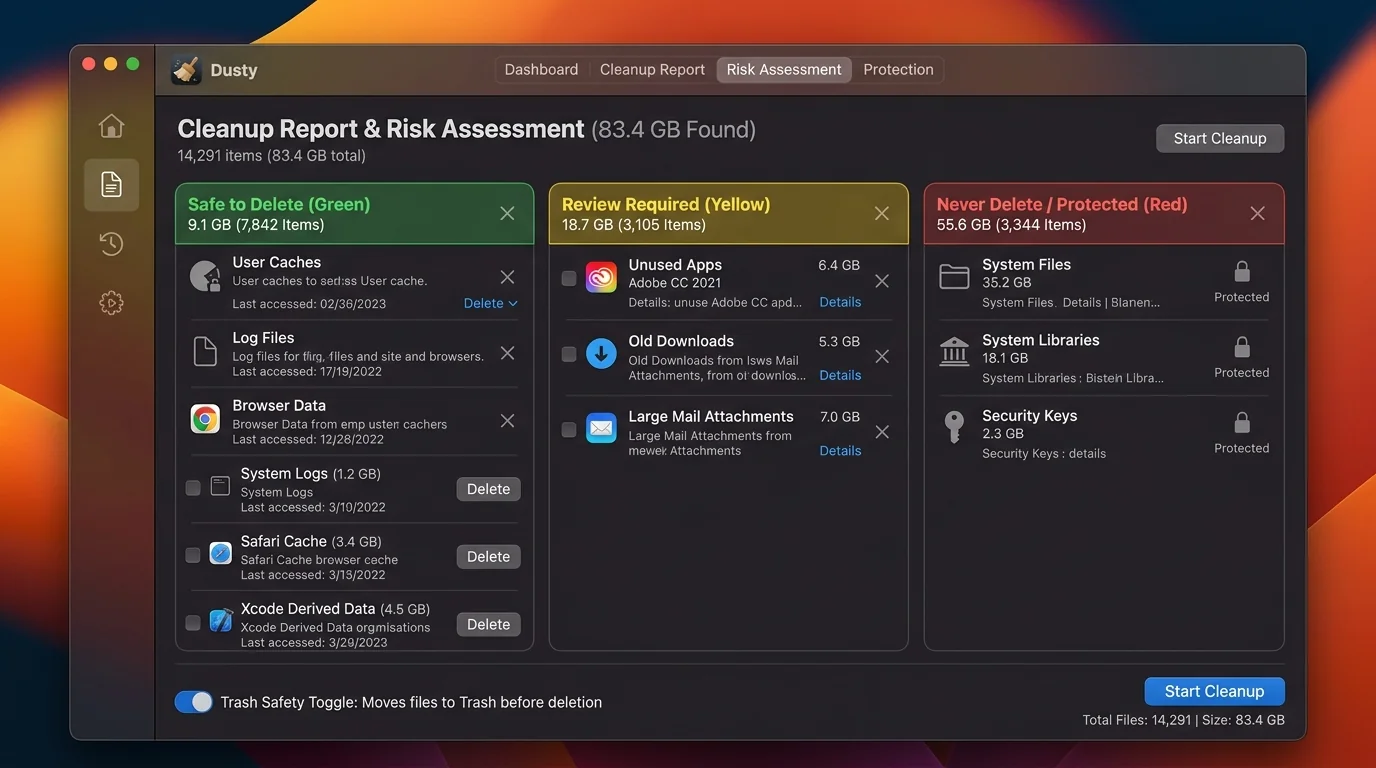
Dusty pairs native macOS filesystem scanning APIs with Google’s Gemini 1.5 Flash AI model. Instead of deleting files blindly, Dusty passes non-sensitive metadata (file path, folder size, last-access timestamp, file extension) to synthesize a plain-English explanation.
smart_toy 4. Real-World AI Explanation Examples
lock 5. Local Privacy Guarantee & Trash-First Safety
Dusty follows a strict privacy mandate: file contents and personal documents are never read or uploaded to cloud servers. Furthermore, Dusty operates on a Trash-First Safety Architecture—items are moved to the macOS Trash (`~/.Trash`) rather than being immediately unlinked, enabling 1-click restoration if needed.
Reclaim Storage Instantly with Dusty
Stop hunting through hidden Library folders. Let Dusty's AI safely analyze and clean your Mac storage in minutes.